Danger zone
Permanently delete your Certivant organization — understand what data is removed, compliance considerations, recovery limits, and safer alternatives before proceeding.
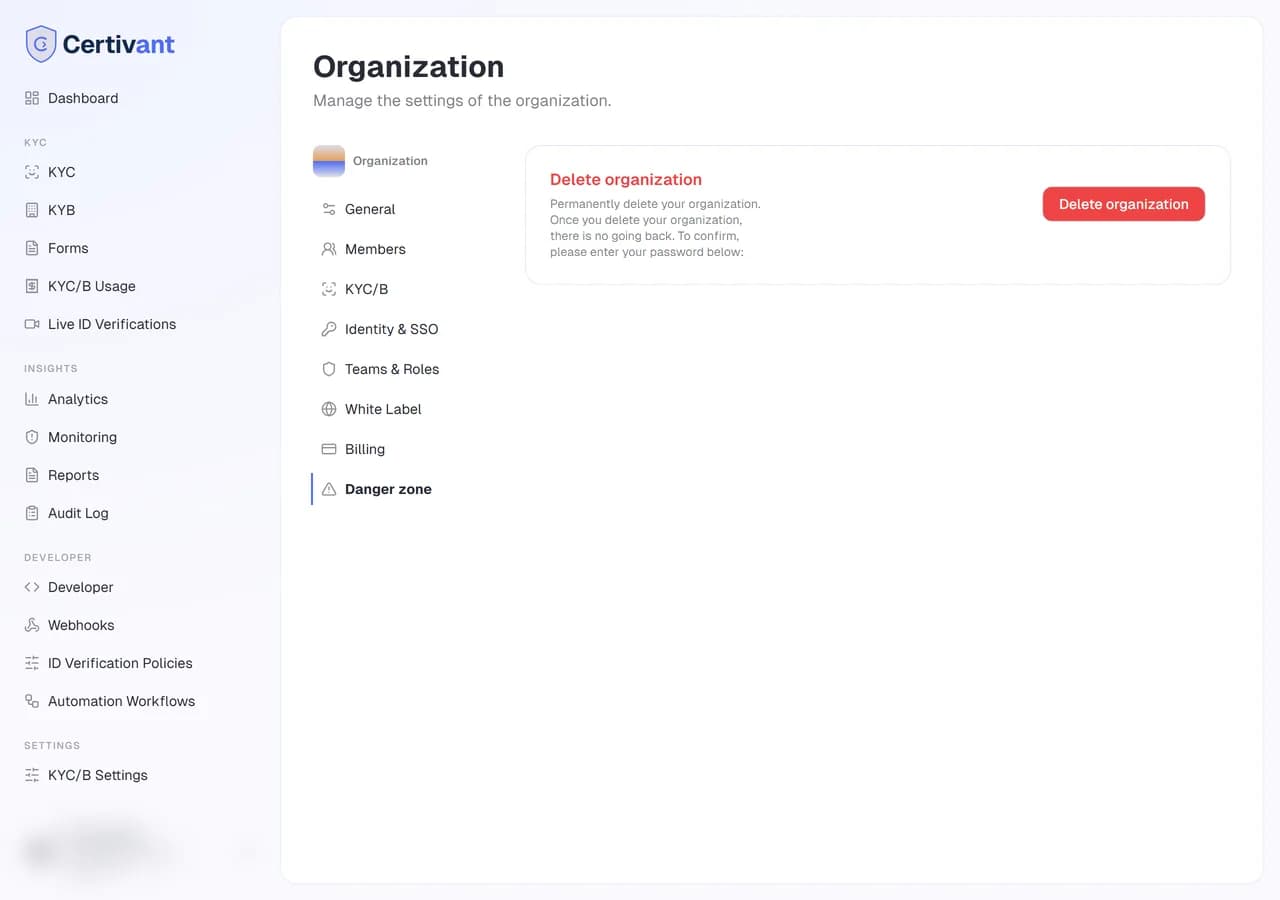
What it does
Settings → Danger zone has exactly one button: Delete this organization. As the name implies, this is irreversible — there's no recycle bin, no soft-delete, no "I changed my mind" within 30 days. When you click, the organization and every piece of data tied to it are removed.
Read this whole page before you click.
What gets deleted
- The organization record.
- Every member's mapping to this org (their user accounts survive, in case they belong to other orgs).
- Every KYC and KYB verification request, including applicants, uploaded documents, and audit log entries.
- Every form you built — drafts, published, archived.
- All webhooks, API keys, and integration settings.
- Invoices and billing history (you'll lose access to the records, even if you wanted to download them later — do that first).
- White-label settings, custom domain mappings.
- Any monitoring subscriptions and historical alerts.
What doesn't get deleted
- Your user account itself. You can still sign into Certivant. You'll see the organization-list page; this org is no longer in it.
- Your other organizations, if any. Each org is independent.
- Anonymous, fully-redacted audit log entries required by some regulatory regimes. These are kept stripped of identifying information; they are not recoverable into the original applicant data.
- Payment processor records (Stripe, etc.). Those live with your payment processor and are governed by their retention policy. Certivant doesn't have access to delete them.
Before you click
A short checklist:
Download anything you need
Open Insights → Reports and generate any compliance reports you'll need later. Export them as PDF + CSV; store securely on your side.
Download any open invoices
Settings → Billing → Invoices — download any open invoices for your records.
Cancel subscriptions
Settings → Billing → Cancel subscription. Deleting the org doesn't auto-refund any unused subscription period — cancel first if you want a clean break.
Tell your team
If members are signed in when you delete, their next page load returns to the organization picker with a "This organization no longer exists" message. Send a heads-up first.
Confirm with your compliance officer
Many jurisdictions (especially anti-money-laundering rules in financial services) require you to retain KYC records for 5 to 7 years. Deleting verification history may put you offside. Get a written sign-off if you're regulated.
The actual delete flow
Click Delete this organization.
A confirmation dialog appears. To proceed you must type the exact organization name into a confirmation field. This is the "are you really, really sure" gate.
Click Yes, delete forever.
You're redirected to /app. The deleted org is no longer in your org list.
The delete itself runs asynchronously — file storage cleanup can take a few minutes for large orgs. Database rows are removed within seconds.
Recovery
There is no recovery. The data is gone the moment the delete completes.
If you deleted by mistake within the last 15 minutes, contact your super admin urgently — they may be able to recover from the most recent database backup, depending on your platform's backup policy. Do not assume this will work; treat the delete as final.
Alternatives to deleting
Before deleting, consider:
- Suspend — the org continues to exist but members can't sign in. Useful if the business is paused, not closed. Contact your super admin to suspend an org.
- Archive applicants instead — you can mass-archive verification requests under the KYC/KYB list. The org survives; the applicant records become read-only. Cheaper than deleting and preserves your audit trail.
- Transfer to a new owner — if you're leaving the company but the org should survive, promote someone else to owner. They can take over billing and you remove yourself as a member.
Troubleshooting
"Delete" button is greyed out
You're not the owner. Only the single org owner can delete. If you ARE the owner and the button is still greyed, you may have an active subscription that needs cancelling first.
I deleted accidentally — recovery options
Contact your super admin within 15 minutes. After that, plan to rebuild from scratch.
I want to delete my Certivant account entirely, not just one organization
Account deletion is a separate flow under Account Settings → Delete account. Note that it cascades to delete any orgs you solely own. Members of orgs you don't own are not affected.
Related
- Billing & credits — cancel subscriptions before deleting.
- Reports — export your compliance evidence first.
- Invite teammates — transferring ownership before leaving.
White-label basics
Customise the hosted verification flow with your own brand — upload a logo, set your primary colour, and replace Certivant branding with your organisation name.
Your account — sign in, password, 2FA
Manage your Certivant account login, password reset, email verification, two-factor authentication, passkeys, and active sessions.