API reference (OpenAPI)
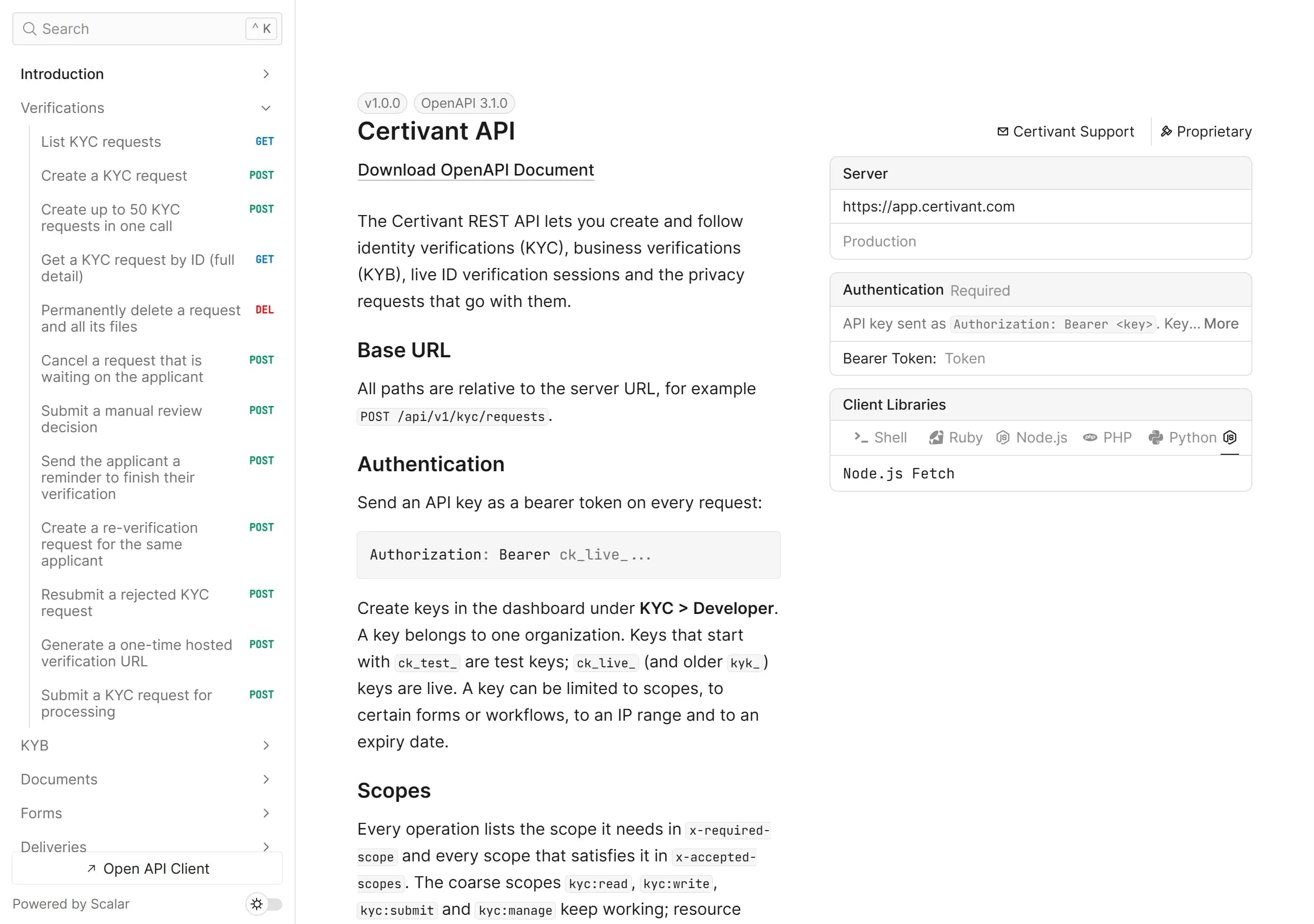
The complete Certivant REST API as an OpenAPI 3.1 document — a public JSON spec you can import into Postman or feed to a code generator, plus an interactive reference with every endpoint, schema, scope and webhook event.
Every endpoint an API key can call is described in one OpenAPI 3.1 document. It is public: no sign-in, no key, safe to fetch from CI or a code generator.
| OpenAPI document | /api/v1/openapi.json (alias /api/openapi.json) |
| Interactive reference | /api/v1/docs |
| Format | OpenAPI 3.1.0, JSON |
| Authentication | Authorization: Bearer <API key> — see Authentication |
| Caching | Cache-Control: public, max-age=300 and an ETag; send If-None-Match to get 304 when nothing changed |
The document contains only the API-key surface (/api/v1/...). Dashboard and administration routes are not part of it.
What the document tells you
- Every operation has one tag (Verifications, KYB, Documents, Forms, Deliveries, Live verification, Fraud signals, EDD, Privacy, Analytics, Audit, Reuse), a stable
operationIdfor generated clients, and the request and response schemas. - Scopes. Each operation lists the scope it needs in
x-required-scopeand every scope that also satisfies it inx-accepted-scopes— the coarsekyc:*scopes and the per-resource scopes such asverifications:readorforms:write. An operation with nox-required-scopeaccepts any valid key. - Errors. Every operation lists the error responses it can return (
400,401,402,403,404,409,429,502) and all of them use the one error envelope described in Errors. - Rate limits. Success responses declare the
X-RateLimit-*headers; see Rate limits. - Webhooks. The
webhookssection lists every event we send, with its payload schema and how to verify the signature. See Webhook events and Signature verification.
Interactive reference
Browse every endpoint, read the schemas and build requests right here. Use the Authentication panel to paste an API key and send live requests.
If the frame does not load, open the reference directly at /api/v1/docs.
Download the OpenAPI document
# Save the spec
curl -sS https://app.certivant.com/api/v1/openapi.json -o certivant-openapi.json

# Only download again when it changed
curl -sS -D - -o /dev/null \
  -H 'If-None-Match: "<etag from your last download>"' \
  https://app.certivant.com/api/v1/openapi.json
import { writeFile } from "node:fs/promises";

const res = await fetch("https://app.certivant.com/api/v1/openapi.json");
if (!res.ok) throw new Error(`Spec download failed: ${res.status}`);

const spec = await res.json();
console.log(spec.info.title, spec.info.version, Object.keys(spec.paths).length, "paths");

await writeFile("certivant-openapi.json", JSON.stringify(spec, null, 2));
import json
import urllib.request

with urllib.request.urlopen("https://app.certivant.com/api/v1/openapi.json") as res:
    spec = json.load(res)

print(spec["info"]["title"], spec["info"]["version"], len(spec["paths"]), "paths")

with open("certivant-openapi.json", "w") as f:
    json.dump(spec, f, indent=2)
Use it
Postman, Insomnia, Bruno. Import the URL https://app.certivant.com/api/v1/openapi.json. Set an environment variable for your key and use it as a bearer token on the collection.
Generate a client. Any OpenAPI 3.1 generator works. For example with the OpenAPI Generator CLI:
npx @openapitools/openapi-generator-cli generate \
  -i https://app.certivant.com/api/v1/openapi.json \
  -g typescript-fetch \
  -o ./certivant-client
Operation ids such as createVerification, submitVerification and getVerification become the method names. Set the server URL and a bearer token in the generated client's configuration.
Call it without a client. A first request needs only the key:
curl -sS https://app.certivant.com/api/v1/kyc/requests?limit=5 \
  -H "Authorization: Bearer $CERTIVANT_API_KEY"
Keeping up with changes
The document is generated from the running API, so it always matches the deployed endpoints. Re-download it (with the ETag) when you regenerate a client. Treat response objects as open: ignore fields you do not know, because new optional fields can appear.
Safety & limits
How the Certivant MCP server tiers PII, wraps applicant-controlled text in an untrusted envelope, throttles reminders at 24 hours, and shares your 120/min per-tenant rate limit — plus the audit gap you must not paper over.
Errors
Every Certivant API error code explained — response shape, HTTP status mapping, per-code handling guidance, and a robust retry wrapper you can drop into your integration.